
How to unstake your SOL on Tramplin?


The question we get asked all the time. Here's the only step-by-step guide you ever need.
Overall, unstaking on Tramplin is simple, but there's one step that catches people off guard.
Your SOL doesn't land in your wallet the moment you click unstake, weird, right? Here's exactly why, and what to do:
Why your SOL doesn't arrive immediatelyWhen you unstake, your SOL enters a deactivation period. This is a Solana network-level mechanic, not something Tramplin controls or can speed up.Here's what happens:
- You initiate unstaking in the Tramplin app
- Your stake enters a deactivating state
- The deactivating period ends when the epoch finishes (~2 days maximum wait)
- Your stake becomes inactive; it's now ready to claim
- You need to go to your wallet and manually withdraw it
That last step happens directly inside your wallet, not within the Tramplin platform.
Your SOL sits in a stake account tied to your wallet address until you withdraw it. It's safe, and it's fully yours, it just needs a manual claim to become liquid.
Here's a step-by-step guide for Phantom, Solflare and MetaMask wallets: Step 1: Unstake on Tramplin
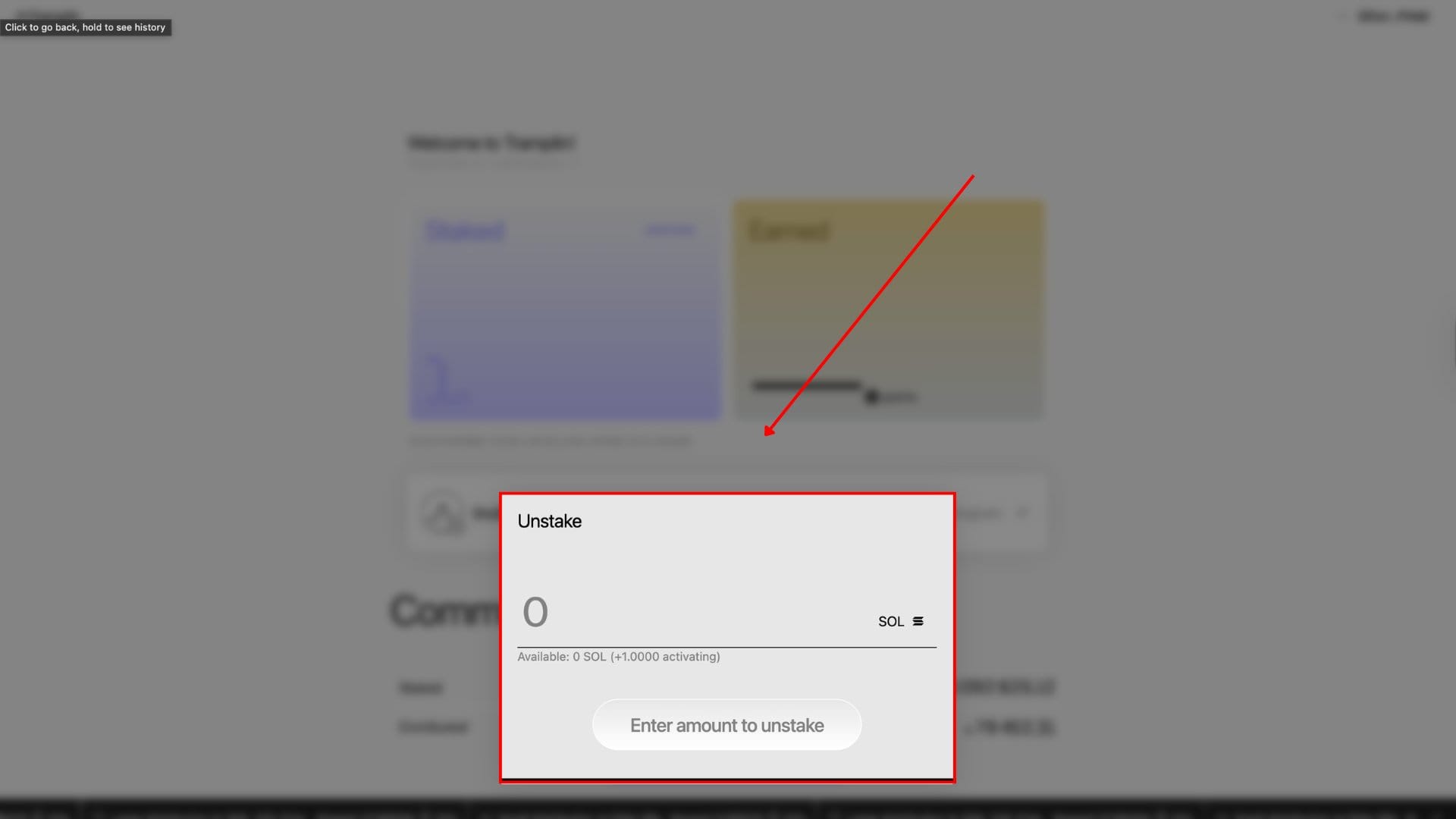
- Open the Tramplin app and connect your wallet
- Navigate to your staking dashboard
- Click Unstake and confirm the transaction
- Wait for the current epoch to end (~2 days)
- Your SOL is now ready to claim in your wallet
Step 2: Claim in your wallet
Phantom
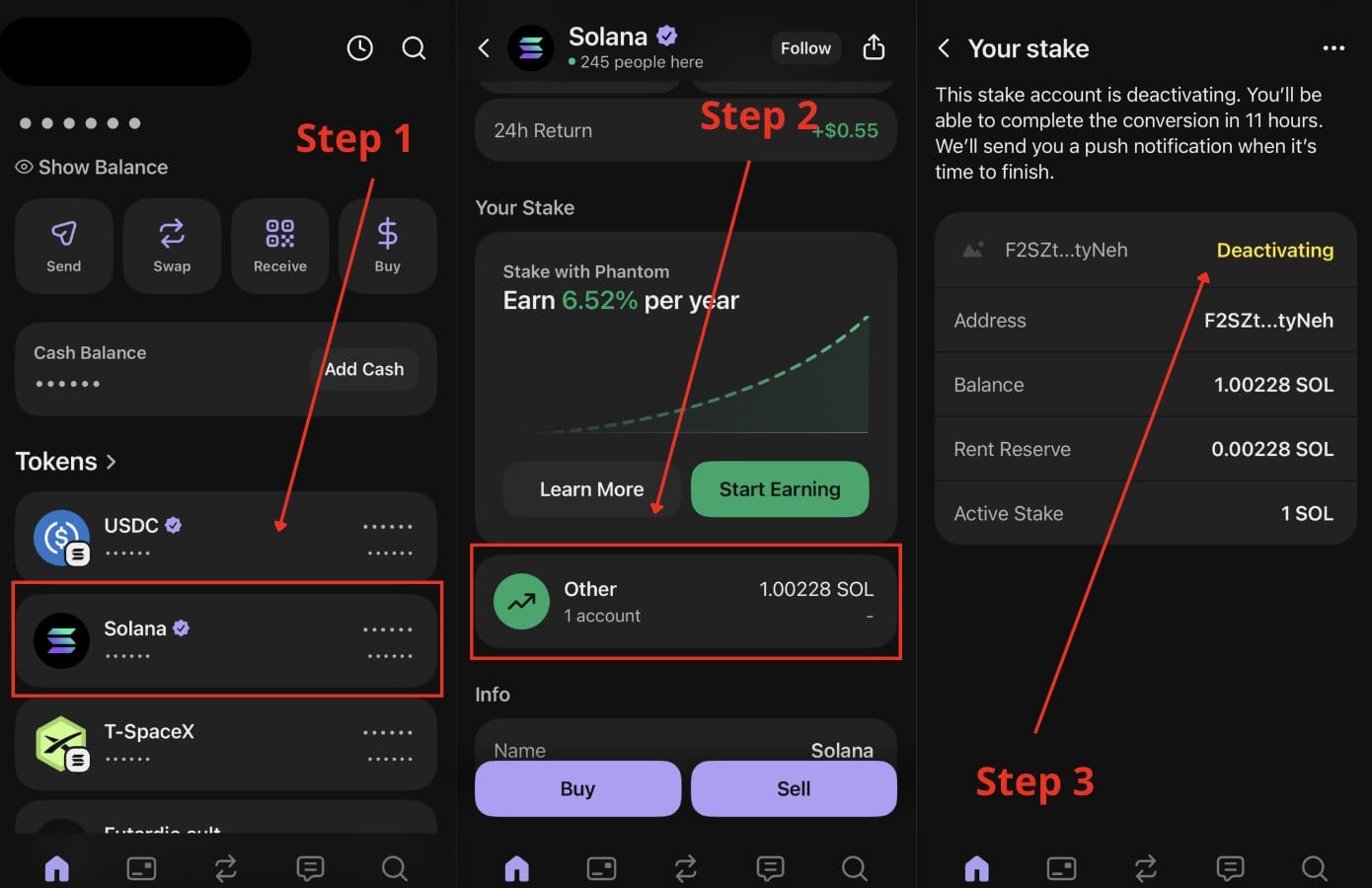
- Open Phantom and go to Home
- Scroll down, find and click SOL
- You'll see your deactivated stake account under the "Your stake" section, with a Withdraw button
- Click Withdraw, review the transaction, click Approve
- SOL lands in your Phantom balance immediately after confirmation
Solflare
- Open Solflare and go to the Staking tab
- Find your inactive stake account under your staking positions
- Click Withdraw next to the deactivated stake
- Confirm the transaction
- SOL appears in your Solflare balance once confirmed
steps collage image here*
MetaMask
MetaMask currently has a known issue with withdrawing from deactivated Solana stake accounts, as Solana network support was recently added.
The MetaMask team is working on a permanent fix, but in the meantime, here's the workaround they recommend:
- Wait for your stake to fully deactivate
- Install @phantom or @solflare wallet
- Log in using the same private key or seed phrase as your MetaMask Solana wallet
- Your stake account will appear automatically
- Follow the Phantom or Solflare withdrawal steps above to claim your SOL
Never share your seed phrase with anyone. Only enter it directly into the official Phantom or Solflare apps.Note: We'll update this guide once MetaMask ships a permanent fix.A few things worth knowing
- No unstaking fee. Tramplin doesn't charge withdrawal fees. What you staked is what you get back.
- Rewards stop accruing the moment you initiate unstaking. If you're close to the monthly draw, factor that in before you unstake.
- The cooldown is fixed. Maximum ~2 days. No way to skip it, it's a Solana network rule.
- Your SOL is safe during cooldown. It's in your stake account, fully under your wallet's control.
For any additional questions, please join our Discord community * open ticket, our support team will assist you: https://discord.gg/tramplin